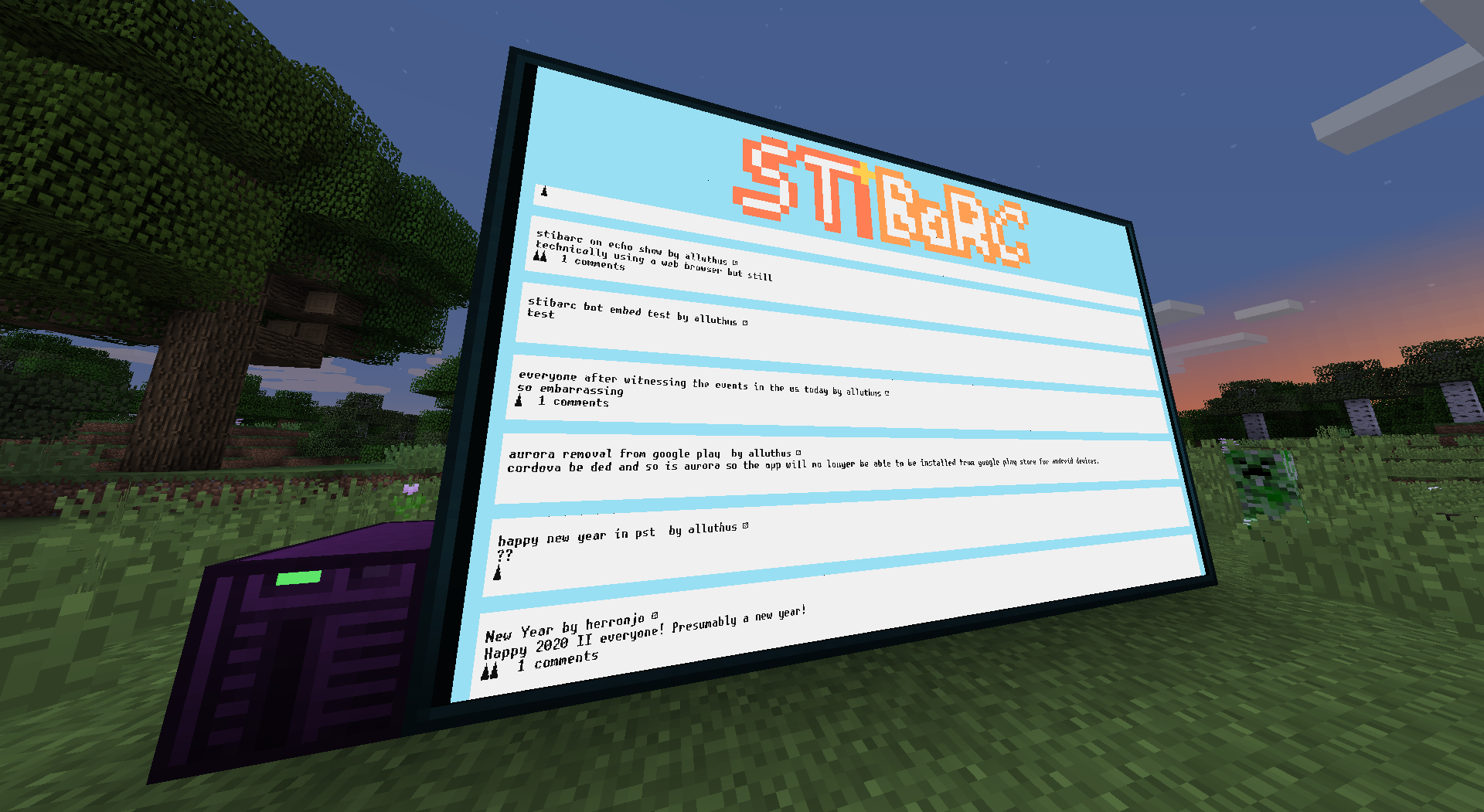
STiBaRC in Minecraft: Introducing STiBaROC!
 Eiim
Eiim
 (he/they)
You've heard of the Minecraft STiBaRC server, but what about STiBaRC in Minecraft? Introducing the first beta version of STiBaROC, a STiBaRC client for the OpenComputers mod!
It's currently very limited, with only the frontpage and post pages available. However, I intend to roll out more features over the next week or so.
You can find its source code on Github (https://github.com/Eiim/STiBaROC/). Some important snippets from the README are below:
First, you'll need to install OpenComputers using a recent build from the https://ci.cil.li/. As of writing, the releases on CurseForge do not work, as they do not include the newer buffer functionality used to improve scrolling performance.
Then, you'll need a top-tier computer: tier 3 case, tier 3 screen, internet card, and a tier 3 graphics card. A tier 3 CPU and tier 3.5 RAM are preferable. As always, you'll also need a flashed EEPROM, install floppy, power source, and keyboard. More setup info can be found on the OpenComputers wiki.
To install STiBaROC, for now, run wget cdn.jsdelivr.net/gh/rxi/json.lua/json.lua and wget cdn.jsdelivr.net/gh/Eiim/STiBaROC/stibaroc.lua. You should then be able to run stibaroc from your home directory.
You can click on posts to view them, and then click on the STiBaRC logo to return to the front page. You can also use up/down arrows to scroll and the left arrow to go back, which will take you to the same place on the homescreen you were at. It may take a long time to load! Have patience when loading, especially with posts.
 1
1 0
0 1
1